
Ducati Diavel Owners Manual: "Parking" function
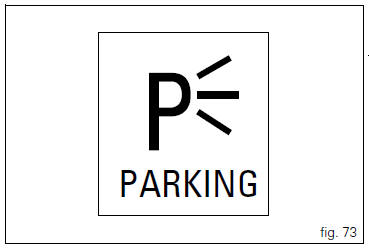
This function activates the "parkin"h mode.
The "parkin"h function activates the front and rear parking lights when the vehicle is turned off so it is visible when parked.
The function is activated by pressing the button (2, fig. 14) ?"´" for 3 seconds during the first 60 seconds after the motorcycle was turned off.
Once the function is activated, the indication will remain on the circular display for 5 seconds and the lights will remain on for 2 hours. After 2 hours, then will turn off automatically.
To interrupt the function, turn the vehicle on and off (key-on / key-off).
 Note
Note
If there is a sudden interruption in the battery while the function is active, the instrument panel will disable the function when the voltage is restored.
 Warning
The frequent use of this function can considerably reduce the battery charge; ducati recommends using this function only when necessary.
 Turn indicators (automatic reset)
The instrument panel controls the automatic reset of the turn
indicators.
After activating one of the two turn indicators, they can be
deactivated using the reset button (12, fig. 12).
If the ...
 Steering in position for being locked indication
This function informs that the steering is in position for
turning on the steering lock.
The sensors detect that the steering is in position during the
first 60 seconds after turning off the vehi ...
Other materials:
Evaporative emissions canister
Sealing washer
Union
Hose clip
Hose
Clamp
"T" fitting
Hose
Support
Special screw
Rubber mounting
Hose
Hose clip
Evaporative emissions canister
Hose
Spring
Spare parts catalogue
Diavel abs evaporative emissions canister
Diavel carbon
abs
evaporative emissions ...
Removal of the expansion tank
Loosen the clamp (6), open the hose guide (a) and slide the hose (7) out of
the radiator.
Open clamps (14) and release the hoses that pass through them.
Loosen the screws (16).
Remove the tank (12) with its hoses (7) and (20) and the support (15).
Loosen the clamp (19) to r ...
Rear shock absorber assembly
Special screw
Screw
Nut
Grub screw
Bush (right)
Bush (left)
Screw
Sealing ring
Roller bearing
Linkage (left)
Shock absorber (rear)
Linkage (right)
Spacer
Special screw
Screw
Bush
Ball joint
Rocker arm assembly
Support
Washer
Nut
Screw
Shock absorber ...