
Ducati Diavel Service Manual: Fuel pressure test
Note
The on-screen icons used during this procedure are explained in a table at the end of this section.
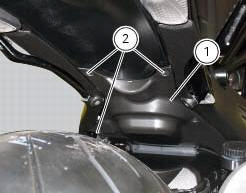
Undo the screws (2) and remove the flange cover (1).
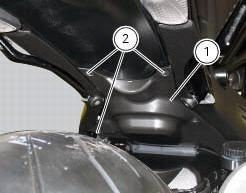
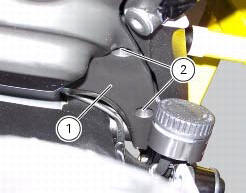
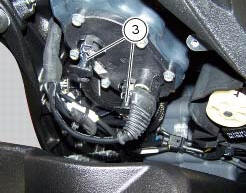
Remove one of the two pipes of the fuel system (3).
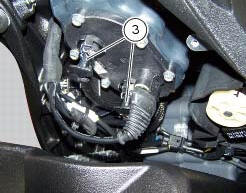
Use the fuel pressure pipe (4) part no. 590.1.189.1A by connecting one end (d) to the coupling of the delivery pipe to the tank and the other end (e) to the fuel system pipe (3): in this way you create a pressure pick-up socket (f).

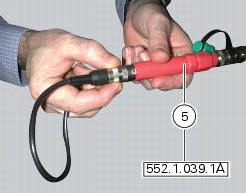
Connect the pressure sensor (5) part no. 552.1.039.1A to the outlet (f) of hose (4), in order to convert the pressure reading into an electric signal.
Turn on the dds diagnosis instrument (6) referring to the paragraph "tester power supply".
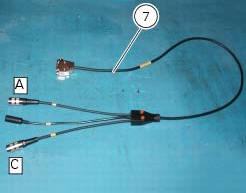
Connect the power and diagnosis cable (measurement module) (7) part no. 97900.0222 To the measurement module connector (e) of the dds (1).
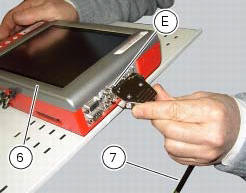
Connect the pressure sensor (6) part no. 552.1.039.1A to outlet (a) or (c) of the cable (7).
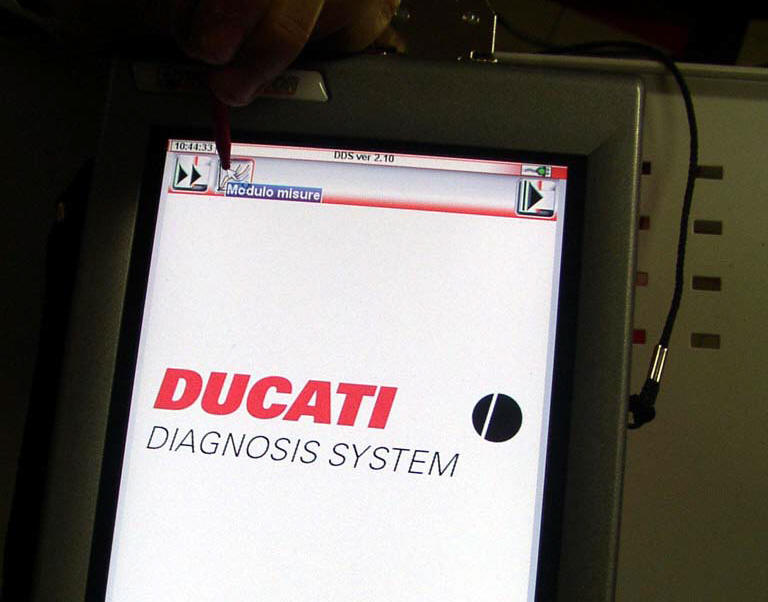
On the dds diagnosis instrument (6), select the "measurement module" function by pressing the corresponding icon; then press the "pressure test" icon (f) followed by the "start" icon (g).
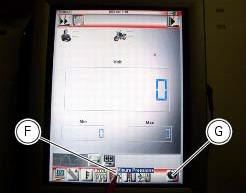
The socket to which the cable (measurement module) (7) is to be connected is indicated on the screen with a capital letter: a, b or c.
The values may be displayed in three different ways: in one numeric form and in two graphic forms; to select the desired display type, press the "value display" icon (h).
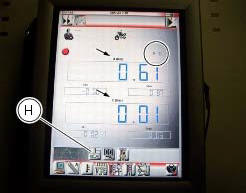
The measured value is indicated alongside the letter (a) or (c) identifying the cable used for the measurement: i.E. If you used socket (a) of the cable (7), the value measured will be displayed next to the letter (a) on the screen.
The maximum pressure must be equal 3 bar (nominal).
Once the test is over, remove all the components of the test instrument and refit the fuel system pipe (3).
Refit the flange cover (1) by tightening the screws (2) to a torque of 4 nm +/- 10% (sect. 3 - 3, Frame torque settings).

 Cylinder compression test
Note
The on-screen icons used during this procedure are explained in a table at
the end of this section.
Engine performance is directly correlated to the pressure that can be
measured in the com ...
 Guided diagnosis
Note
The on-screen icons used during this procedure are explained in a table at
the end of this section.
The dds diagnosis instrument guides the operator step-by-step through the
various diagnos ...
Other materials:
Removal of the clutch transmission unit
Warning
The manufacturer of the clutch transmission unit (15) advises
against servicing of its internal parts due to the safetycritical
nature of this component.
Incorrect overhaul of these critical safety components can endanger rider and
passenger safety.
The only components that shoul ...
Charging the battery
Before charging the battery, it is recommended to remove it
from the motorcycle.
Important
The battery is housed in the cowling, always contact
a ducati dealer or an authorised service centre for its
removal.
Remove the left cowling (1, fig. 137) Loosening:
side screw (2, fig. 137) Retaining ...
Crankcase halves
Bearing
Bearing holder bushing
Alternator-side crankcase half
Bearing
Circlip
Washer
Bearing
Sealing ring
Bearing
Retaining plate
Screw
Screw
Clutch-side crankcase half
Sealing ring
Bearing
Circlip
Bearing holder bushing
Bearing
Plug
Screw
Spacer
Bush ...