
Ducati Diavel Service Manual: Indication if the lap function is active/not active
This function indicates if "lap" function (lap number) is active.
When "lap" is not lit up, this means that the function has been switched off.
The "lap" function can be activated using the "lap" function of the setting menu.
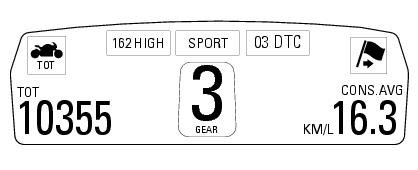
 Riding mode set indication
This function indicates the "riding style" set for the vehicle.
Three "riding modes" are available: sport, touring and urban.
Each riding mode can be changed using the "riding mode" function.
N ...
 Riding style function (riding style change)
This function changes the motorcycle riding style.
Each riding style is associated with a different intervention level of the
traction control (dtc - ducati traction control) and
different engin ...
Other materials:
Reassembly of structural components and the frame
Check for the nuts with clips (8).
Apply recommended grease on the threads of the adjusters (4) and the ring
nuts (5) having care not to have grease on
the surface (c) of the adjusters.
Tighten the adjusters on the ring nut side opposite to that featuring flats
until bringing the surfac ...
Replacing of the rear sprocket
Lock the wheel axle rotation.
Remove the clip (1).
Loosen the locking nut (2) with a socket wrench.
Fully unscrew the nut (2) and remove the washer (3) and the flange (5) with the
sprocket (17).
Collect the spacer (9).
Using a mallet, tap the flange (5) with the cush drive dampe ...
Lap registration function
This function describes the "lap" time registration.
If the function is activated (see "lap activation/deactivation description), the
lap time can be registered as follows:
pressing the flash headlight button (6) the first time starts the "lap timer"
for the first lap, and the dashboard show ...