
Ducati Diavel Service Manual: Recovery procedure in the event of hands free system fault
If the hands free system can no longer communicate with the other control
units over the can network (with the
dashboard or engine on), the following icon is shown on the tank dashboard:

The following image shows the icon appearing on the tank dashboard: this
indicates that the hands free system is not
connected to the can network or that it cannot communicate over the can network
in the event of a hands free system fault, the following icon is displayed on
the tank dashboard: 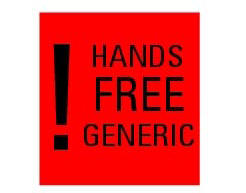
The following image shows the icon appearing on the tank dashboard: this indicates a hands free system fault if the engine was off before the fault occurred, starting the engine may not be possible.
If the engine was running before the fault occurred, the hands free system will not switch the engine off. Once the engine is switched off, however, starting the engine may no longer be possible.
 Recovery procedure in the event of electric steering lock fault
If any fault occurs during activation of the electric steering lock: for
example, if the pin jams, if the handlebar is moved
while the pin is deployed or if there is excessive strain on the electri ...
 Start procedure with pin code (no keys)
The motorcycle may be started without keys with a special procedure using the
dashboard and the switches on the
handlebar.
Note
This procedure is only possible if the pin code has been enabled
...
Other materials:
Seat
Seat
Seat cover
Rubber mounting
Special screw
Plate
Latch
Spare parts catalogue
Diavel abs seat
Diavel carbon
abs
seat
Important
Bold reference numbers in this section identify parts not shown in the
figures alongside the text, but which can be found in
the exploded view ...
Disassembly of the gearchange mechanism
Refer to the exploded view at the beginning of this section for indications
on disassembly and renewal of gearchange
components.
If the bushing (2) inside the pedal (1) needs replacing, grease the external
surface and drive the new bushing into place
using a press. The bushing must be seate ...
Belly fairing
Rh belly fairing
Lh belly fairing
Special screw
Nylon washer
Screw
Central belly fairing
Oil cooler shield
Special screw
Clip
Washer
Clip
Screw
Bracket
Screw
Spare parts catalogue
Diavel abs belly fairing
Diavel carbon
abs
belly fairing
Important
Bold refere ...