
Ducati Diavel Service Manual: Recovery procedure with no key
When the dashboard is on and the key has been recognised, the hands free attempts to detect the key every 60 seconds.
If the engine is off and the on/off switch on the handlebar is turned to "run off", if no key is detected within 10 seconds, the dashboard switches off automatically.
If the engine is running and no key is detected upon exceeding a speed of 5 km/h after setting off from an initial standstill (speed = 0 km/h), the hands free system displays the no key symbol on the dashboard (if the key has been accidentally left in the garage, for example).
In the former case, the vehicle continues to function normally until it is
switched off again. Once switched off, the vehicle
cannot be started again without the key (key left behind, lost or no longer
functioning correctly). In this case it is possible
to start the bike only with the pin code (see the procedure described in chapter
"start procedure with pin code (no
keys)" of this section). 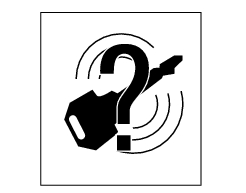
The following image shows the icon appearing on the tank dashboard: this icon indicates that no key is detected.
If the motorcycle has been started using the passive key or using the active key in transponder mode (no battery or flat battery), it is normal for the 'no key' icon to be displayed. In fact, once the vehicle has been started and the key detached from the antenna placed in the document compartment under the seat the bike will remain on until the following switch off with the dashboard displaying that the key is not available. Once both engine and dashboard have been switched off, the key must be placed over the antenna again to restart the vehicle.
 How to turn the motorcycle off
To turn the motorcycle off, turn the switch from "run on" to "run off". The
engine stops. To switch the dashboard off,
push the on/off switch downwards. When released, the switch automatically
re ...
 Recovery in the event of flat active key battery
If the active key battery is running low or is flat, the hands free system
shows the relative icon on the dashboard.
The following image shows the icon appearing on the circular area of the
d ...
Other materials:
Removal of the gear selector lever
Unscrew and remove the fixing screws (18) and (20) of the complete gear
selector lever (21) and collect the spacer (19).
Remove the gearchange mechanism complete with the shaft, spring, and stop plate.
Important
Visually inspect the gear selector claw (14) for wear, particularly aroun ...
Turn indicators (automatic reset)
The instrument panel controls the automatic reset of the turn
indicators.
After activating one of the two turn indicators, they can be
deactivated using the reset button (12, fig. 12).
If the turn indicator is not "reset" manually, the instrument
panel will automatically switch it ...
Refitting the primary drive gears and checking backlash
Fully degrease the crankshaft splined end and the corresponding spline on the
primary drive gear.
Position the spacer (c) onto the crankshaft.
Fit the driving gear (b) onto the crankshaft with the oil pump drive sprocket
facing the crankcase.
Temporarily secure the gear with the was ...