
Ducati Diavel Service Manual: Refitting the front wheel
When all the necessary inspections have been completed, refit the wheel as follows.
Fit the spacers (3) and (9) to the seal rings on the sides of the wheel hub.
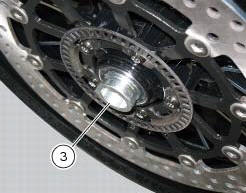
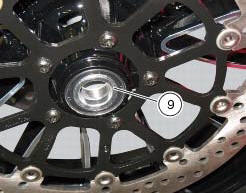
Install the complete wheel between the fork legs.
Lubricate the shank and thread of the wheel axle (10).
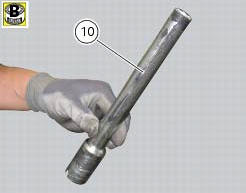
Take the pin (10) fully into the wheel hub.
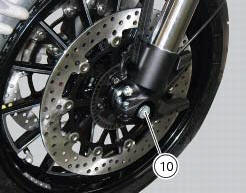
Fit the washer (2) on the end of the axle.
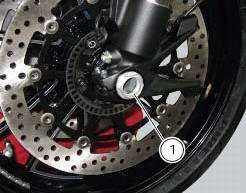
Grease the thread and the underside of the head of the axle lock nut (1), then screw it on.
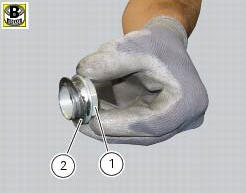
Tighten the nut (1) to the torque of 63 nm +/- 5% (sect. 3 - 3, Frame torque settings).
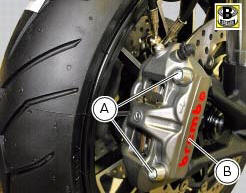
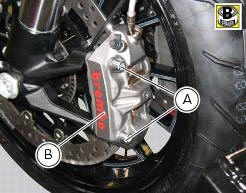
Grease the threads and undersides of the heads of screws (a).
Tighten the two retaining screws (a) of the brake callipers (b) to a torque of 2 nm +/- 10%. (Sect. 3 - 3, Frame torque settings) operate the front brake lever two or three times.
Hold the lever pulled towards the handgrip and simultaneously tighten the screws (a) to a torque of 44 nm +/- 5%(sect. 3 - 3, Frame torque settings).
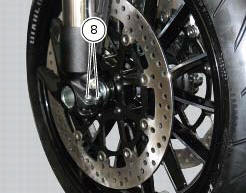
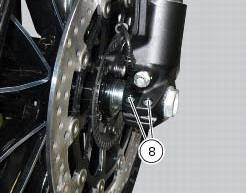
Before tightening the screws (8), lower the bike to the ground and push up and down on the handlebar to load the suspension; so the fork legs will become properly seated onto the wheel shaft.
Tighten the screws (8) to a torque of 10 nm +/- 5% (sect. 3 - 3, Frame torque settings), proceeding in a 1-2-1 sequence.
 Overhauling the front wheel
Wheel bearings
Before checking the dimensions, check the wear on wheel bearings. Check for
wear by hand after cleaning and degreasing
the bearings in their seats.
Turn the inner race.
Check ...
 Rear wheel
Right-hand wheel nut
Washer
Spacer
Valve
Wheel
Circlip
Spare parts catalogue
Diavel abs front and rear wheels
Diavel carbon
abs
front and rear wheels
Important
Bold reference ...
Other materials:
Adjusting the rear shock absorber
The adjuster (1) located on the lower connection holding the shock absorber
to the swingarm adjusts the damping during
the rebound phase (return).
The knob (2), located on the left side of the motorcycle, adjusts the preload of
the shock absorber external spring.
Turn the adjuster (1) clock ...
Removal of the clutch
Note
For clarity, the figures show the engine removed from the frame.
Undo the fixing screws (1) and remove the ring (2) and the springs (3) from
the pressure plate (4).
Slide the pressure plate (4) paying attention to the circlips (6).
Remove the clutch control pin (14) and the ...
Stored lap display function
This function displays the stored laps.
To access the function it is necessary to view the ""setting" menu", using
buttons (1) "s" or (2) "t" select the "lap"
function and press the reset button (3) to enter the following page.
Use button (1) "s" or (2) "t" to select "lap data" indication a ...