
Ducati Diavel Service Manual: Removal of the expansion tank
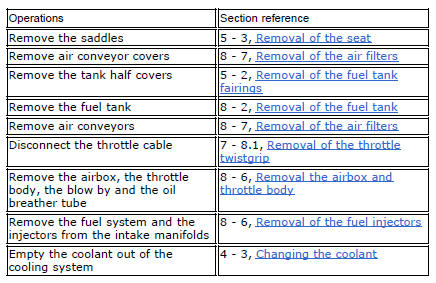
Loosen the clamp (6), open the hose guide (a) and slide the hose (7) out of the radiator.
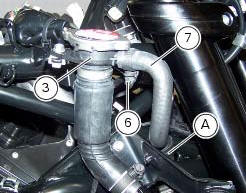
Open clamps (14) and release the hoses that pass through them.
Loosen the screws (16).
Remove the tank (12) with its hoses (7) and (20) and the support (15).
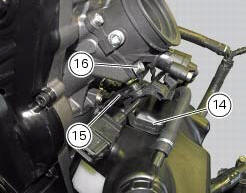
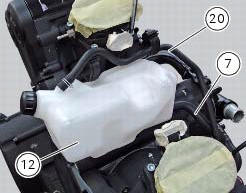
Loosen the clamp (19) to remove the hoses (7) and (20) from the tank.
Loosen the screws (18) and remove the supporting plate (15).
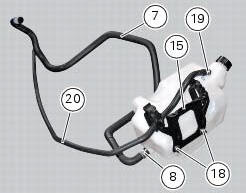
 Coolant expansion tank
Plug
Screw
Fuel filler flange
Clip nut
Clamp
Hose clip
Valve/tank hose
Clamp
Screw
Spacer
Rubber mounting
Expansion reservoir
Filler cap
Hose clip
Support
Screw
...
 Refitting the expansion tank
If the support (15) has been removed, place the hose clamps (14) on the
bracket (15) orienting them as indicated.
Fully press the pins (a) to block the clamps (14) until pins surfaces (b) are at ...
Other materials:
Stored lap display function
This function displays the stored laps.
To access the function it is necessary to view the "setting" menu page 48, using
button (1, fig. 14) ?"" or (2, fig.
14) ?" " select the "lap" function and
press the reset button
(12, fig. 12) To go to next pag ...
Pin code change function
This function changes your four number pin code.
To access the function it is necessary to view the "setting"menu, using buttons
(1) "s" or (2) "t" to select the "pin code"
function and press the reset button (3) to enter the following page.
Note
If "insert new pin code" and the dashes "- - ...
Replacing the tank flange and fuel sensor
Loosen the screws (19) securing the fuel tank flange (20).
Remove the flange (20) from the tank (20).
Recover the seal (21).
Undo and remove the two fixing screws (g) and move the protection (f).
Before reassembly, carefully remove any deposits or scale from all parts.
Note
The flang ...