
Ducati Diavel Service Manual: Renewal of the headlight
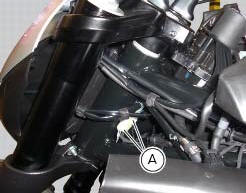
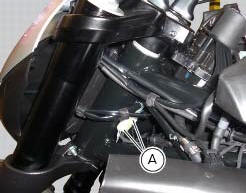
Disconnect the headlight connectors (a) from the main wiring (refer to the tables of paragraph "routing of wiring on frame", sect. 6 - 1).
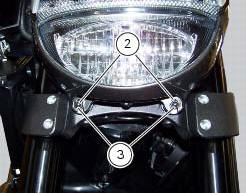
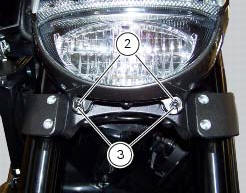
Loosen nuts (2) that fix the front optical unit to the bottom yoke, and recover the washers (3).
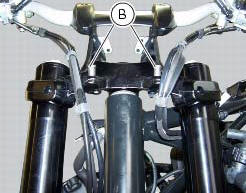
Remove the complete front optical unit by sliding it upwards and releasing it from pins (b) of the supporting bracket.
Release the headlight from the front optical unit support by loosening the screws (4) and recovering the washers (5).
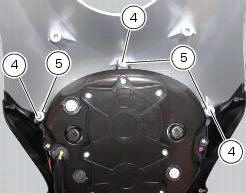

Refit the headlight on the front optical unit support, insert the spacers with collars (5) and the screws (4).
Apply the recommended threadlocker to the screws (4).
Tighten the screws (4) to a torque of 6 nm +/- 10% (sect. 3 - 3, Frame torque settings).
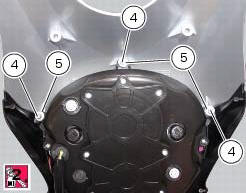
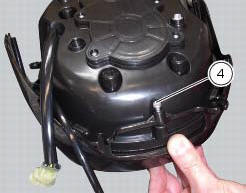
Check for the pads (6) on the supporting bracket.
Apply the recommended threadlocker to the screws (4).
Tighten the screws (4) to a torque of 6 nm +/- 10% (sect. 3 - 3, Frame torque settings).
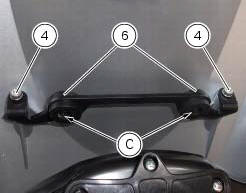
Refit the front optical unit by placing its lower part on the pads (d) and inserting the pins (b) into the eyelets (c) of the supporting bracket.
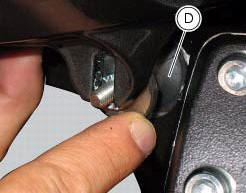
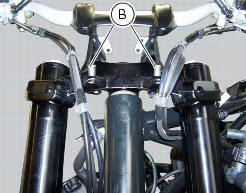
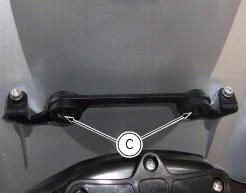
Fix the front optical applying a torque of 10 nm +/- 10% (sect. 3 - 3, Frame torque settings) to the nuts (2) with washers (3).
Reconnect the headlight connectors (a) to the main wiring (refer to the tables of paragraph "routing of wiring on frame", sect. 6 - 1).

 Changing bulbs
Changing the headlight bulbs
Before replacing a burnt out light bulb, ensure that the replacement bulb has
the same voltage and power rating as
specified for the lighting device in question (sect. ...
Other materials:
Tail light - number plate holder
Rh tail light
Vibration damper mount
Spacer
Screw
Number plate light
Screw
Screw
Plate
Number plate holder
Nut
Screw
Rear chain guard
Lh tail light
Spring washer
Vibration damper mount
Splashguard
Screw
Spacer
Screw
Washer
Splashguard (europe - australi ...
Refitting the rear brake control
If the pushrod (18), clip (30) and fork (31) assembly has been dismantled,
reassemble it by screwing the nut (29) onto
the rod (18) and then screw the rod into the fork (31) to obtain the measurement
indicated in the figure.
Block the rod and tighten to a torque of 7.5 Nm +/- 10% (sect. 3 - ...
Coolant temperature
This function indicates coolant indication state.
The temperature unit of measure can be selected (C or f).
The reading is indicated as follows:
if the reading is between - 39C and +39C "lo" is shown flashing on the
dashboard (steady);
if the reading is between +40C and +120C it appears on t ...