
Ducati Diavel Service Manual: Technical specifications
General
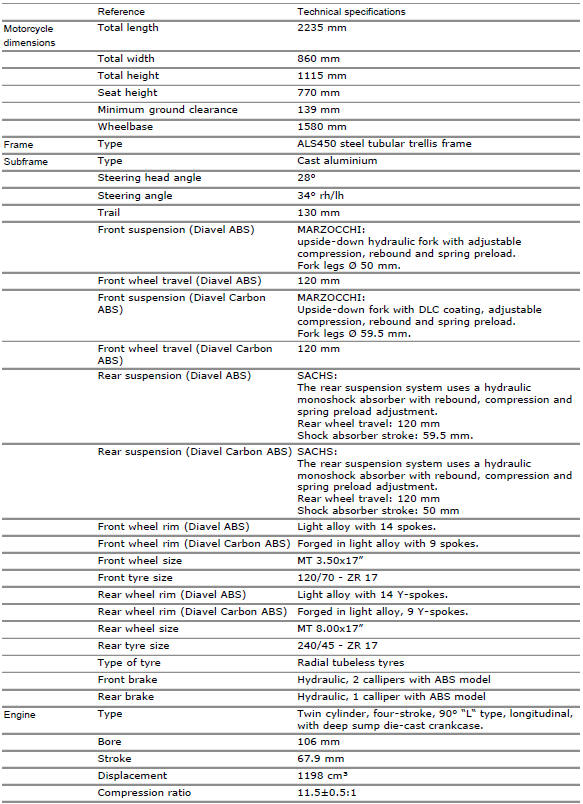
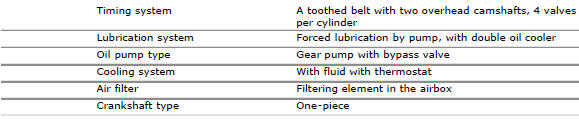
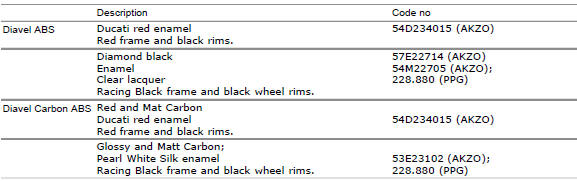
Colours
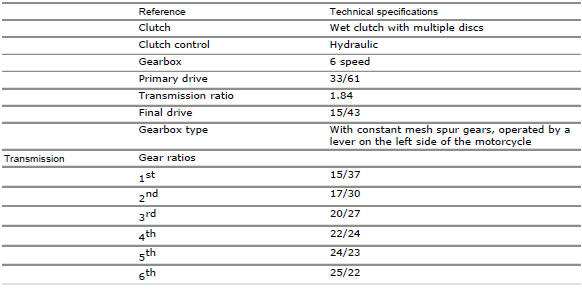
Transmission
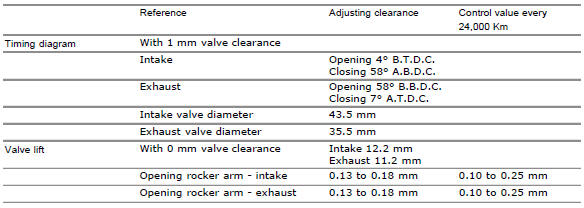
Timing system/valves
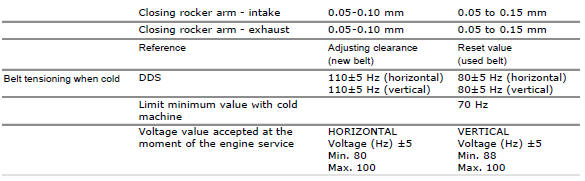
Crankshaft

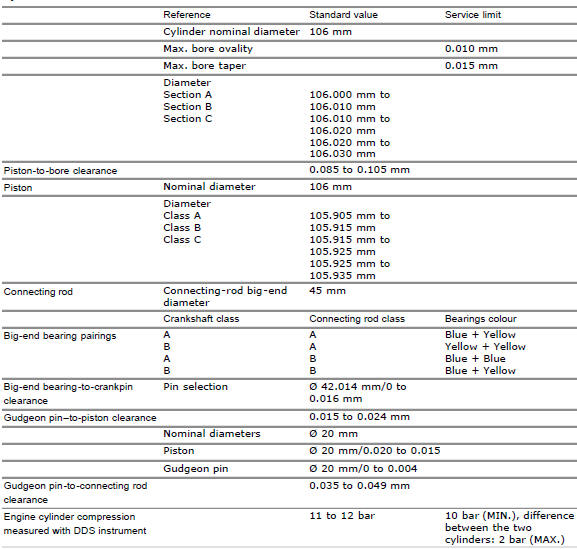
Cylinder/piston
Gearbox

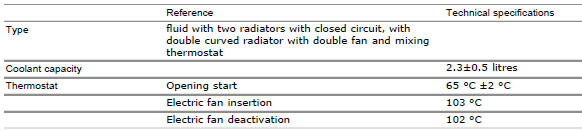
Cooling system
Front wheel
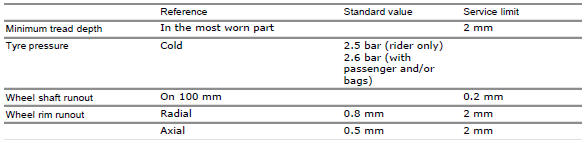
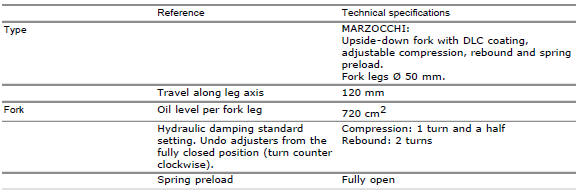
Front suspension (diavel abs)

Front suspension (diavel carbon abs)
Rear wheel

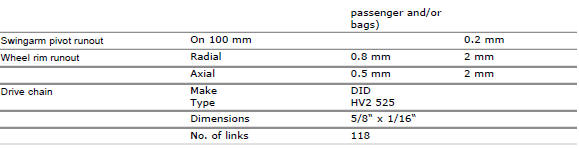
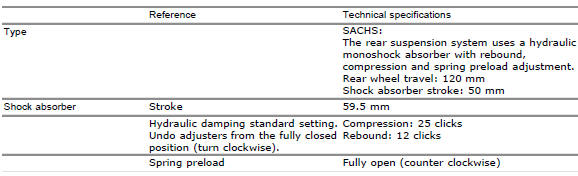
Rear suspension (diavel abs)

Rear suspension (diavel carbon abs)
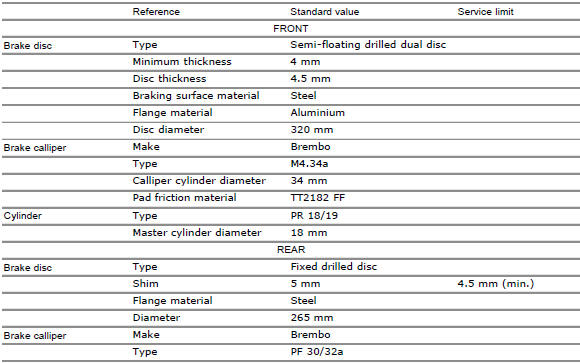
Hydraulic brakes

Charging system/alternator

Injection-ignition system

Fuel system

Injection system

Lights/instrument panel
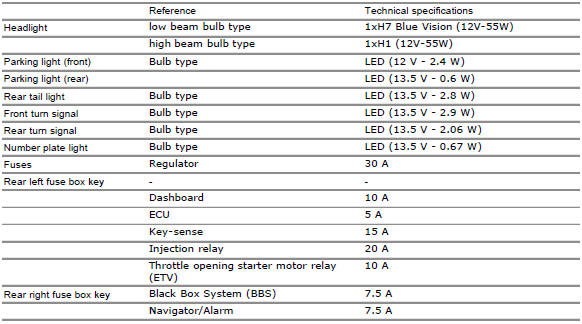

 Technical data
...
 Dimensions
...
Other materials:
Main bearings
The main bearings have are of the angular contact type with offset inner
races so that the balls transmit loads from one
groove to the other along straight lines at an angle to the axis of the bearing.
The angle-contact ball bearings are
designed for bearing combined loading (radial-axial load ...
Units of measurement modification function
This function allows you to change the units of measurement
of the displayed values.
To access the function it is necessary to view the "setting" menu page 48, using
button (1, fig. 14) ?"" or (2, fig.
14) ?" " select the "set units" function
and pre ...
Riding modes
The rider may select between four different riding modes (sport, touring,
urban and enduro) from the dashboard and via
the "turn indicator reset" button (3). Each riding mode contains settings for
the following:
The dtc set-up (sect. 6 - 7 "Dtc (ducati traction control) setting
function" ...