
Ducati Diavel Service Manual: Vehicle speed indicator
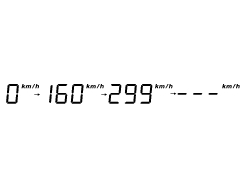
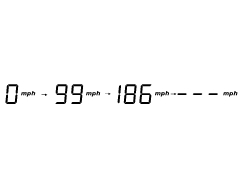
This function displays vehicle speed (km/h or mph depending on the set measurement system).
The dashboard receives information about the actual speed and displays the number increased by 5%.
Maximum speed displayed is 299 km/h (186 mph).
Over 299 km/h (186 mph) the display will show a series of dashes "- - -" (steadily lit - not flashing).
 Lcd unit functions
Speedometer.
Gives road speed
Rev counter.
Indicates engine revs per minute.
Clock.
Water temperature indicator.
Indicates engine coolant temperature.
Important
Stop riding if ...
 Engine rpm indicator (rpm)
This function displays the rpms.
The dashboard receives the engine rpm information and displays it.
This information is displayed progressively from the left to the right,
identifying the rpms ...
Other materials:
Removal of the air filters
Work on the vehicle right side, loosen screws (3) that secure the intake duct
(2) to the airbox, and the radiator retaining
screw (a); recover the washer (b).
Remove the intake duct (2).
Proceed in the same way to remove the lh intake duct (6), and disconnect the
connector (c) ...
Tft - parameter setting/display
Warning
Any adjustments to the instrument panel must only be
carried out when the motorcycle is stationary. Never operate
the instrument panel controls while riding the motorcycle.
At the end of the check, the instrument panel always
displays as the "main" indication the odometer (to ...
Hands free system key-on and key-off
Key-on consists in turning on the hands free system and all
of its electronic devices.
Key-off consists in turning off the hands free system and all
electronic devices, and makes sure the engine is turned off.
Key-on is done using the button (6) on the handlebar on the
right switch or using ...