
Ducati Diavel Service Manual: Riding mode set indication
This function indicates the "riding style" set for the vehicle.
Three "riding modes" are available: sport, touring and urban.
Each riding mode can be changed using the "riding mode" function.
Note
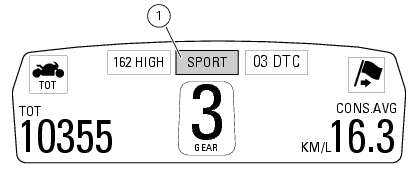
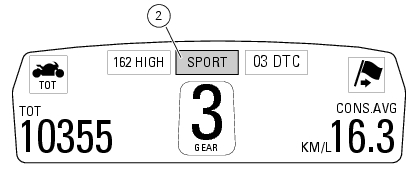
The background of the riding mode (sport, touring or urban) is blue (1) if currently set riding mode parameters are the default ones (ducati factory setting) or yellow (2) if one or more parameters have been modified (customised) by means of the "riding mode" function of the setting menu.
 Engaged gear indicator
This function displays the gears (1).
The dashboard receives information and indicates the engaged gear or "n" for
neutral.
In the case of a gear sensor "error", a dash "-" (not flashing) will ...
 Indication if the lap function is active/not active
This function indicates if "lap" function (lap number) is active.
When "lap" is not lit up, this means that the function has been switched off.
The "lap" function can be activated using the "lap ...
Other materials:
Tft - parameter setting/display
Warning
Any adjustments to the instrument panel must only be
carried out when the motorcycle is stationary. Never operate
the instrument panel controls while riding the motorcycle.
At the end of the check, the instrument panel always
displays as the "main" indication the odometer (to ...
Removal of the engine
In order to remove engine you must first remove a series of other components
from the motorcycle.
Most of these removal procedures are described in the relative sections of this
manual.
The following flow chart illustrates the logical sequence in which the parts are
to be removed from th ...
Front brake lever
Pull the lever (1, fig. 94) Towards the twistgrip to operate the
front brake. The system is hydraulically assisted and you only
need to pull the lever gently.
The control lever (1, fig. 94) Features a dial adjuster (2, fig. 94)
For lever distance from the twistgrip on handlebar
adjustment.
...