
Ducati Diavel Service Manual: Dashboard
Note
The dashboard is supplied as a single component; its internal components cannot be renewed separately.
Important
Whenever the dashboard is renewed, the ignition key programming procedure must be repeated.
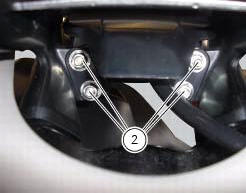
Loosen the nuts (2) to remove the master dashboard (1) from its seat and disconnect the connector (a) of the main wiring.
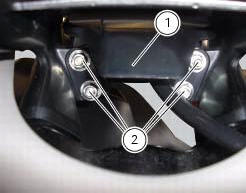
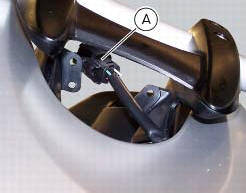
To remove the slave dashboard (3) remove the front tank fairing as indicated in sect. 5 - 2, "Removal of the fuel tank fairings".
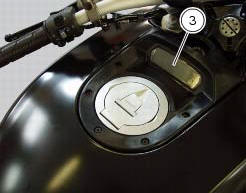
Refitting is the reverse of removal; be sure to check that the dashboard is mounted on its support with the screws (4) tightened to a torque of 3 nm +/- 10% (sect. 3 - 3, Frame torque settings).
Check the presence of clips (5) and stud bolts (6) with washers (7). The stud bolts (6) must be tightened to a torque of 2 nm +/- 10% (sect. 3 - 3, Frame torque settings).
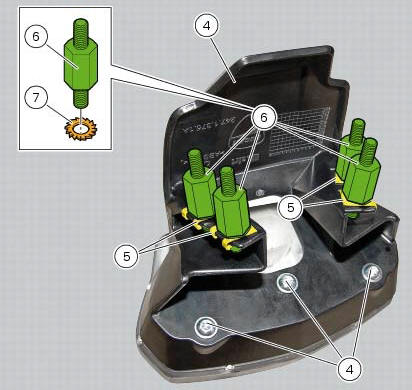
Tighten the nuts (2) to a torque of 3 nm +/-10% (sect. 3 - 3, Frame torque settings).
 Instruments
...
 Dashboard system
The vehicle is equipped with two dashboards: an lcd (1) located on the
handlebar containing the key indications (speed,
rpm, engine coolant temperature, and clock) and a tft colour display (2) loca ...
Other materials:
Setting menu
This menu is used to enable/disable and set some
motorcycle functions.
To access the "setting menu" press the button (2, fig. 14)
? for 3 seconds.
Note
When within this menu no other function can be
displayed.
Important
For safety reasons, the setting menu can only be
ac ...
Information about the model
Identification data
Diavel identification data
Each ducati motorcycle has two identification numbers -the frame number and
the engine number- and an ec nameplate
(a) (not present on the us version).
Note
Please quote these numbers, which identify the motorcycle model, when
ordering spare pa ...
Removal of the clutch transmission unit
Warning
The manufacturer of the clutch transmission unit (15) advises
against servicing of its internal parts due to the safetycritical
nature of this component.
Incorrect overhaul of these critical safety components can endanger rider and
passenger safety.
The only components that shoul ...