
Ducati Diavel Owners Manual: Protective apparel
Always wear a helmet. Most motorcycle accident fatalities are due to head injuries.
For safety eye protection, gloves, and high top, sturdy boots should also be worn.
The exhaust system becomes very hot during operation, never touch the exhaust system. Wear clothing that fully covers your legs. Do not wear loose clothing which could catch on the control levers, footrests, wheels, or chain.
Any amount of alcohol will significantly interfere with your ability to safely operate your motorcycle. Don’t drink and ride.
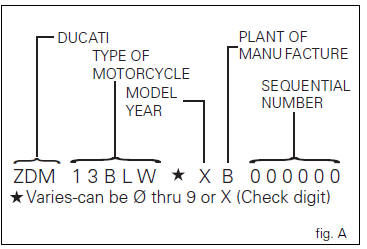
Vehicle identification number (vin);
Every ducati motorcycle is identified by two identification numbers (see page 189). Fig. A specifically shows the frame identification numbers.
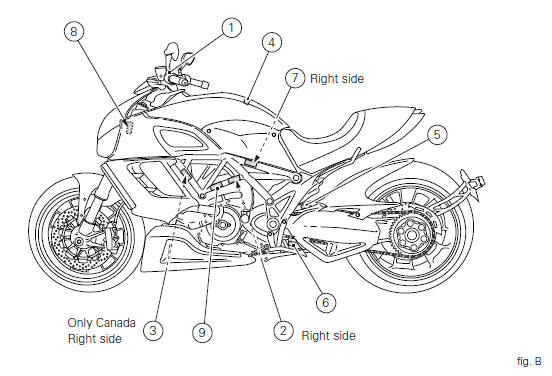
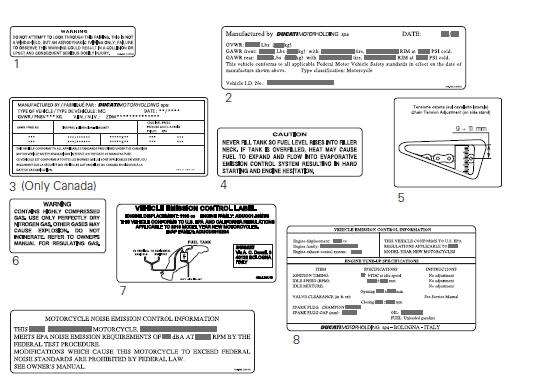
Label location (fig. B)
 Riding safety
The points given below are applicable for every day
motorcycle use and shoud be carefully observed for safe and
effective vehicle operation.
A motorcycle does not provide the impact protection of ...
 California emission control warranty statement
Your warranty rights and obligations
The california air resources board is pleased to explain the
emission control system warranty on your my 2011
motorcycle. In california, new motor vehicles must ...
Other materials:
Removing the flywheel - generator assembly
Use the tool 88713.3367 Fixed to the m10 side stand fixing holes (d).
Secure the tool to the flywheel with the screws (e).
Unscrew the alternator-flywheel retaining nut (15).
Warning
While unscrewing the nut, apply axial pressure to the socket to
avoid damage or injury in the event of the ...
Removing outer components
Note
The following removal operations are required in order to renew and/or
clean the crankcase halves. If the original
crankcase halves are to be reused, then the removal of these components is not
essential.
Unscrew the screw (17) and remove the oil breather valve (1) with the o-rings
...
Side stand button
Introduction
The side stand button is located on the side stand. Together with the signal
from the clutch button and the neutral signal
generated by the gear sensor (transmitted to the engine control unit over the
can line), the side stand position signal is
used to enable or disable engine s ...