
Ducati Diavel Owners Manual: Steering lock on indication
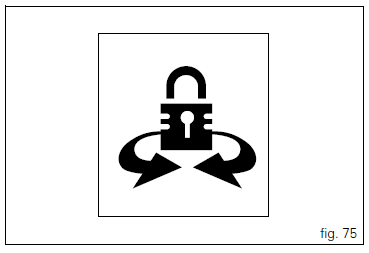
This function informs that the steering lock was turned on.
The steering lock can be turned on during the first 60 seconds after turning off the vehicle by pressing down on the "run" button.
If the steering lock was enabled correctly, the instrument panel will show the indication in the display for 5 seconds.
 Note
Note
The steering lock can only be turned on when the steering is in position.
 Steering in position for being locked indication
This function informs that the steering is in position for
turning on the steering lock.
The sensors detect that the steering is in position during the
first 60 seconds after turning off the vehi ...
 Controls
Warning
This section shows the position and function of the
controls used to ride the motorcycle. Be sure to read this
information carefully before you use the controls. ...
Other materials:
Hands free
Hands free
Special screw
Plug
Electric fuel plug
Button
Spring
Frame
Elastic pin
Spare parts catalogue
Diavel abs handlebar and controls
Diavel carbon
abs
handlebar and controls
Important
Bold reference numbers in this section identify parts not shown in the
figures a ...
Removing the water radiators
Loosen the screws (p) that retain the supports (s) of the front splashguard
to the air ducts (24) and (26).
Loosen the screws (30), to separate the two internal air ducts (24) and (26).
Disconnect the wiring connectors of the main wiring loom (c) from both fans.
Disconne ...
Steering head: front fork
Screw
Screw
Steering head
Bottom yoke
Left fork leg assembly
Right fork leg assembly
Counter nut
Damper assembly
Bush
Spring
Preload tube
Collar
Washer
Top cap assembly
Screw
Washer
Adjuster screw
Special washer
Fork tube + calliper unit
Dust cap
Sealin ...