
Ducati Diavel Service Manual: Renewal of the headlight
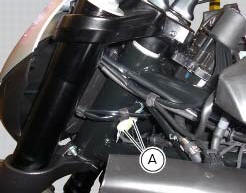
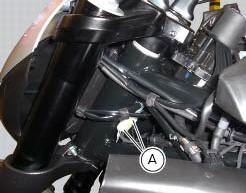
Disconnect the headlight connectors (a) from the main wiring (refer to the tables of paragraph "routing of wiring on frame", sect. 6 - 1).
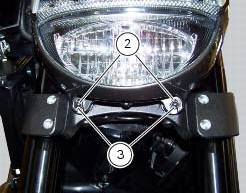
Loosen nuts (2) that fix the front optical unit to the bottom yoke, and recover the washers (3).
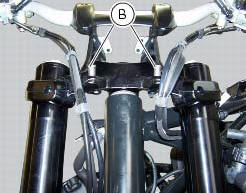
Remove the complete front optical unit by sliding it upwards and releasing it from pins (b) of the supporting bracket.
Release the headlight from the front optical unit support by loosening the screws (4) and recovering the washers (5).
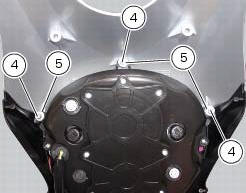
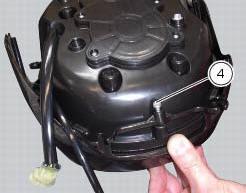
Refit the headlight on the front optical unit support, insert the spacers with collars (5) and the screws (4).
Apply the recommended threadlocker to the screws (4).
Tighten the screws (4) to a torque of 6 nm +/- 10% (sect. 3 - 3, Frame torque settings).
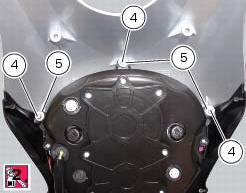
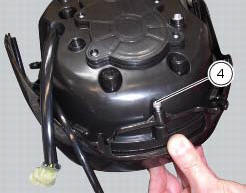
Check for the pads (6) on the supporting bracket.
Apply the recommended threadlocker to the screws (4).
Tighten the screws (4) to a torque of 6 nm +/- 10% (sect. 3 - 3, Frame torque settings).
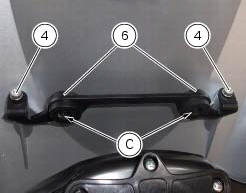
Refit the front optical unit by placing its lower part on the pads (d) and inserting the pins (b) into the eyelets (c) of the supporting bracket.
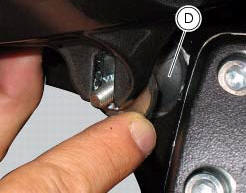
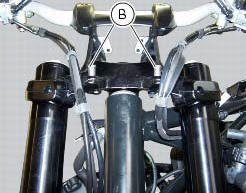
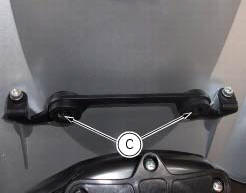
Fix the front optical applying a torque of 10 nm +/- 10% (sect. 3 - 3, Frame torque settings) to the nuts (2) with washers (3).
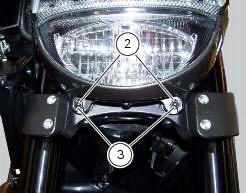
Reconnect the headlight connectors (a) to the main wiring (refer to the tables of paragraph "routing of wiring on frame", sect. 6 - 1).

 Changing bulbs
Changing the headlight bulbs
Before replacing a burnt out light bulb, ensure that the replacement bulb has
the same voltage and power rating as
specified for the lighting device in question (sect. ...
Other materials:
Frame torque settings
*Dynamic safety-critical point; tightening torque must be within nm +/-5%.
Note
For product specifications and symbols, refer to "product specifications"
(sect. 1 - 2). ...
Tips on how to select the sensitivity level
Warning
The 8 level settings of the dtc were calibrated using
tyres of the same make, model and size as those originally
fitted to the motorcycle.
The use of tyres of different size to the original tyres may
alter the operating characteristics of the system.
In the case of minor differenc ...
Footrest brackets
Rubber footrest
Right front footrest
Pin
Spring
Circlip
Right footrest bracket
Screw
Washer
O-ring
Bush
Rubber pad
Right rear footrest
Pin
Ball
Spring
Plate
Screw
Vibration damper mount
Special screw
Front lh footrest
Left footrest bracket
Left rear f ...