
Ducati Diavel Owners Manual: Steering lock on indication
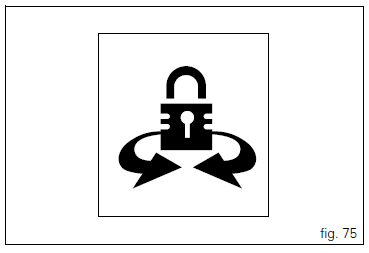
This function informs that the steering lock was turned on.
The steering lock can be turned on during the first 60 seconds after turning off the vehicle by pressing down on the "run" button.
If the steering lock was enabled correctly, the instrument panel will show the indication in the display for 5 seconds.
 Note
Note
The steering lock can only be turned on when the steering is in position.
 Steering in position for being locked indication
This function informs that the steering is in position for
turning on the steering lock.
The sensors detect that the steering is in position during the
first 60 seconds after turning off the vehi ...
 Controls
Warning
This section shows the position and function of the
controls used to ride the motorcycle. Be sure to read this
information carefully before you use the controls. ...
Other materials:
Air intake
Air filter
Right air duct
Screw
Air temperature sensor
Screw
Left air duct
Sealing washer
Threaded insert
Spacer
Clamp
Breather hose
Spare parts catalogue
Diavel abs air intake - oil breather
Diavel carbon
abs
air intake - oil breather
Important
Bold reference num ...
Recovery procedure in the event of hands free system fault
If the hands free system can no longer communicate with the other control
units over the can network (with the
dashboard or engine on), the following icon is shown on the tank dashboard:
The following image shows the icon appearing on the tank dashboard: this
indicates that the hands free sy ...
Frame torque settings
*Dynamic safety-critical point; tightening torque must be within nm +/-5%.
Note
For product specifications and symbols, refer to "product specifications"
(sect. 1 - 2). ...