
Ducati Diavel Service Manual: Refitting the fuel tank
If the fuel tank has been disassembled into its component parts, reposition all the parts as shown in the exploded view.
In particular: tighten the screws (13) to a torque of 5 nm +/-10% (sect. 3 - 3, Frame torque settings).
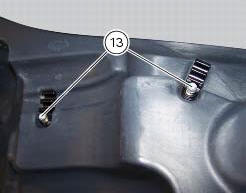
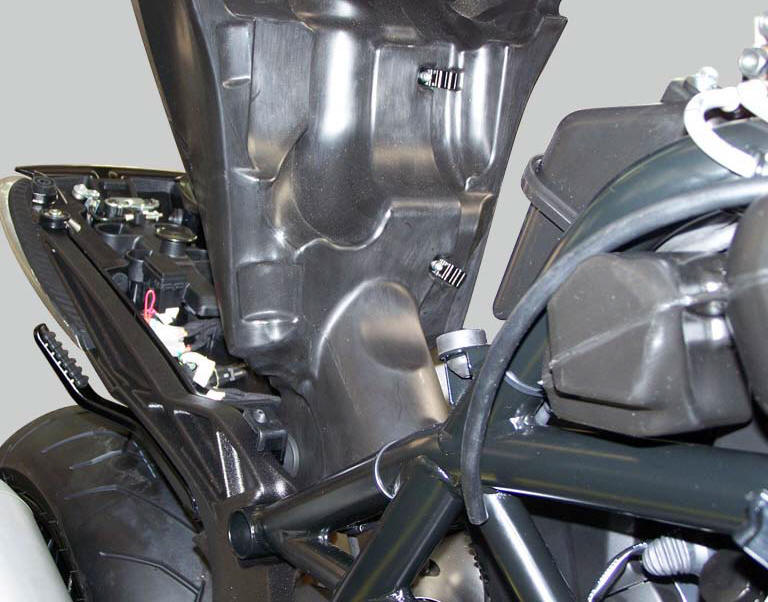
Refit the tank by inserting its rear side into the pin on the frame, as shown in the figure.
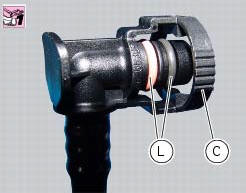
Smear the o-rings (l) installed on fuel hose couplings (c) with rubber lubricant.
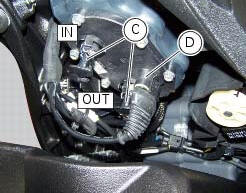
Connect the two quick-release fittings (c) of the fuel pipes following the removal order, paying attention to insert the Delivery on the filler marked with out and the return on the filler marked with in.
Connect connector (d) of the fuel level sensor to the main wiring.
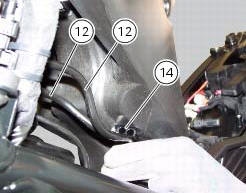
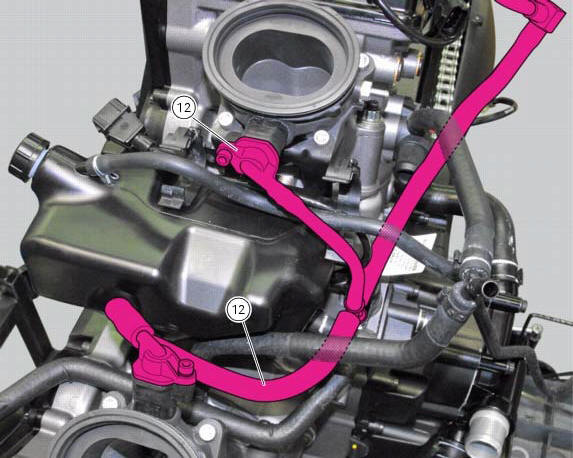
Attach the fuel hoses (12) to the hose clips (14).
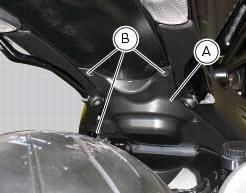
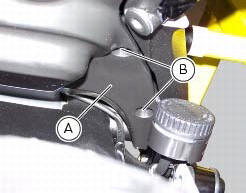
Refit the flange cover (a) by tightening the screws (b) to a torque of 4 nm +/- 10% (sect. 3 - 3, Frame torque settings).
Position, without tightening, the front retaining screw (4).
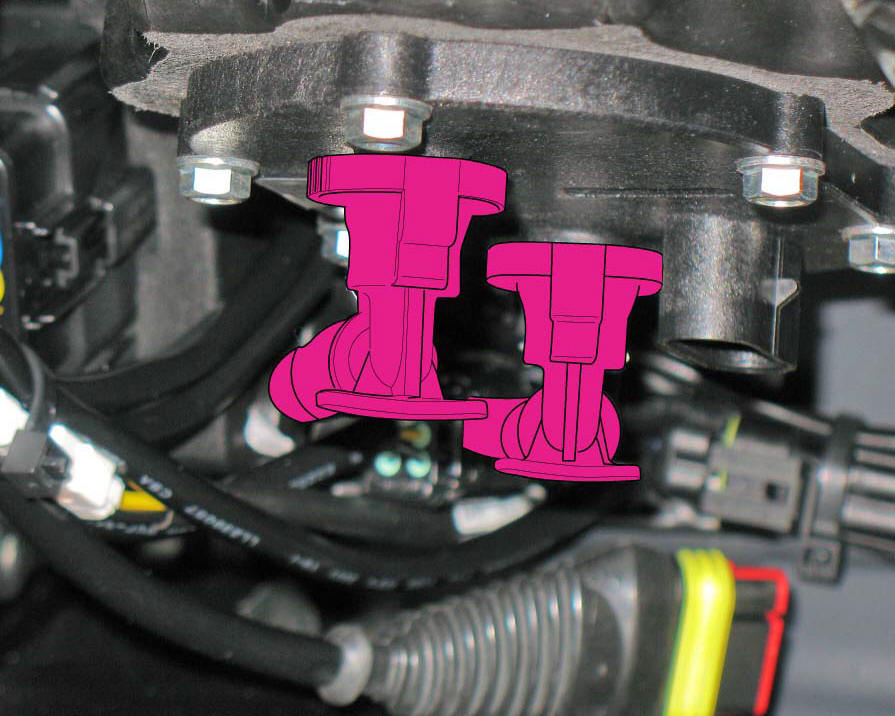
On both sides of the tank plug, place the two breather pipes (8) and (15) and insert them on the plug.
Check correct position of the tank (1) and tighten the two front retaining screws (4) to a torque of 10 nm +/- 10% (sect. 3 - 3, Frame torque settings).
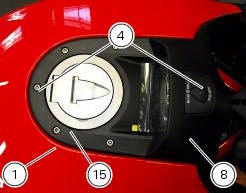

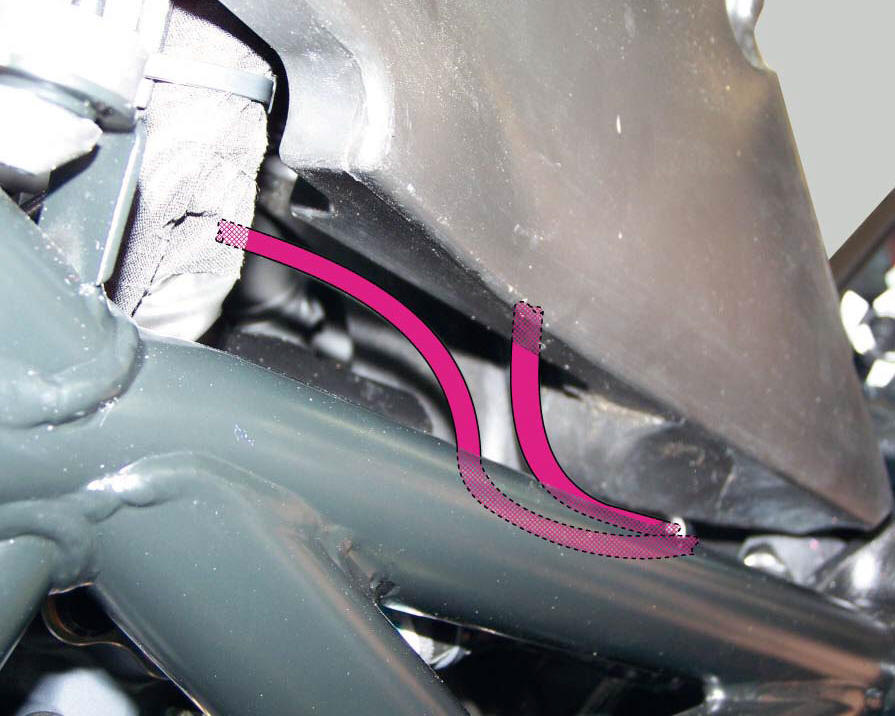
Positioning of the fuel tank breather and drain hoses
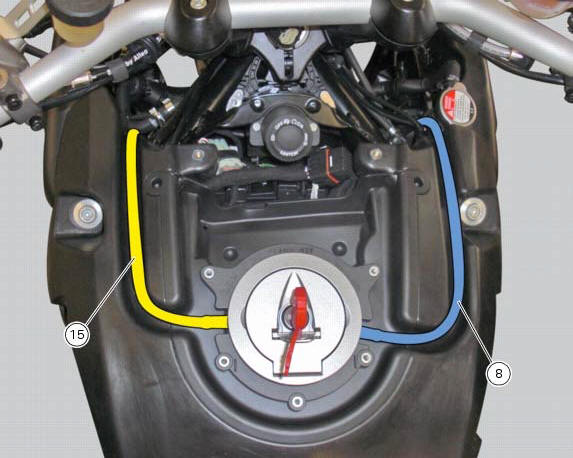
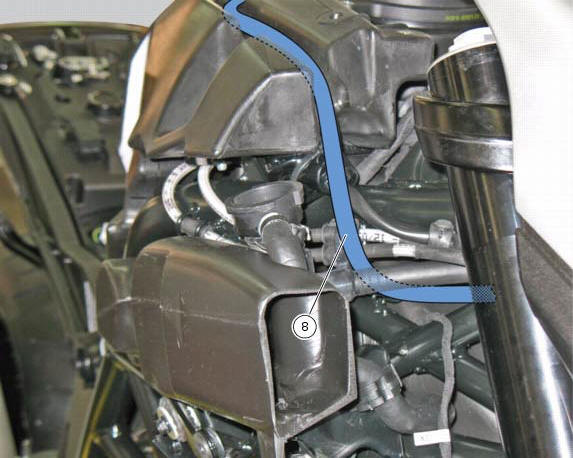
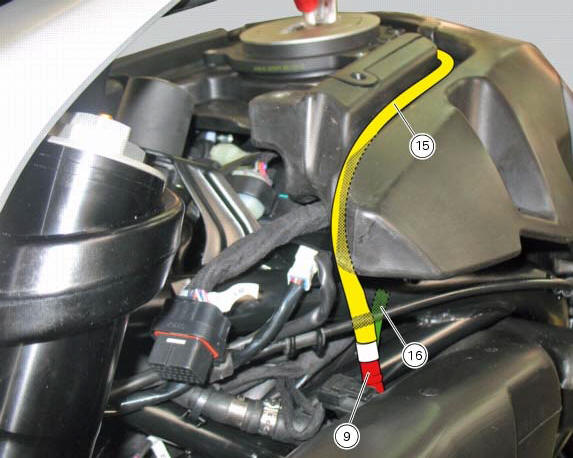
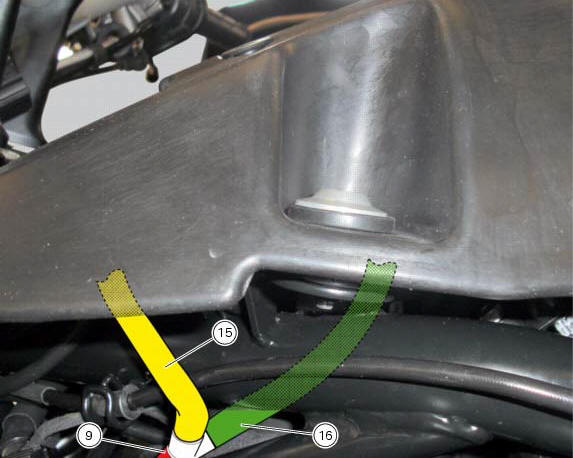
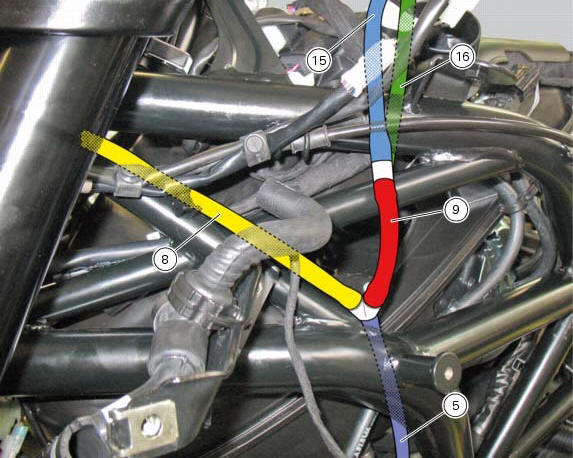
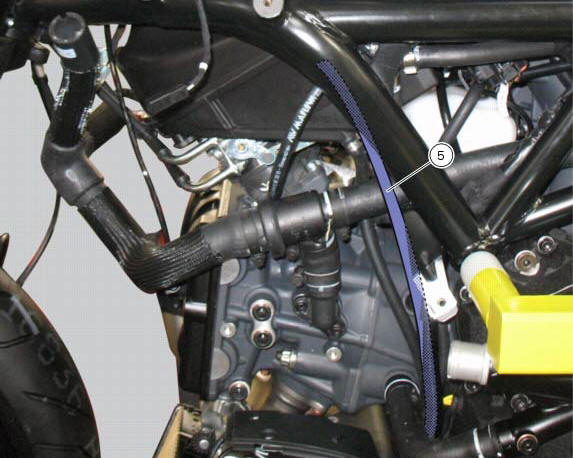
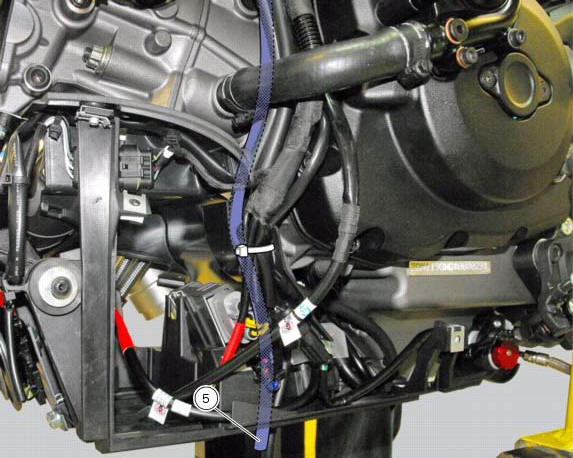
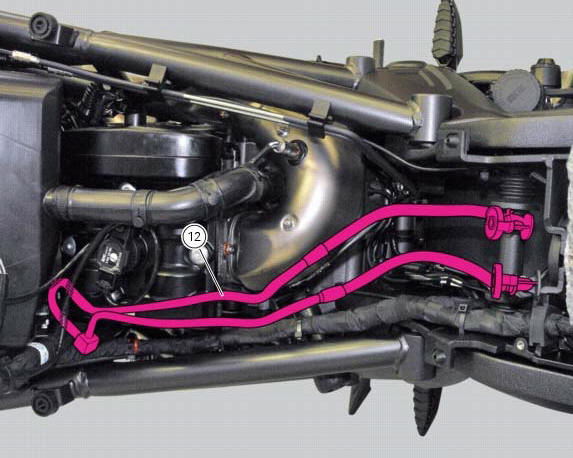
 Refitting the fuel tank flange
Insert the flange (20) in its housing in the fuel tank.
Apply prescribed threadlocker to the screws (9) and tighten to a torque of 6 nm
+/- 10% (sect. 3 - 3, Frame torque
settings), following th ...
 Airbox - throttle body
Airbox
O-ring
Injector
Throttle body assembly
Screw
Clamp
Intake manifold
Screw
Pressure sensor
Screw
Clamp
Hose
Sealing washer
Intake manifold
Sealing washer
Scre ...
Other materials:
Setting menu
This menu is used to enable/disable and set some
motorcycle functions.
To access the "setting menu" press the button (2, fig. 14)
? for 3 seconds.
Note
When within this menu no other function can be
displayed.
Important
For safety reasons, the setting menu can only be
ac ...
Adjusting the position of the gearchange and rear brake
pedals
The position of the gearchange and rear brake pedals in
relation to the footrests can be adjusted to suit the
requirements of the rider.
Adjust the pedals as follows:
Gear change pedal (fig. 97)
Hold the linkage (1) and slacken the lock nuts (2) and (3).
Note
Nut (2) has a left-hand thr ...
Guided diagnosis
Note
The on-screen icons used during this procedure are explained in a table at
the end of this section.
The dds diagnosis instrument guides the operator step-by-step through the
various diagnostic procedures,
providing descriptions and documentation for motorcycle components, wiring
diagra ...