
Ducati Diavel Owners Manual: Identification data
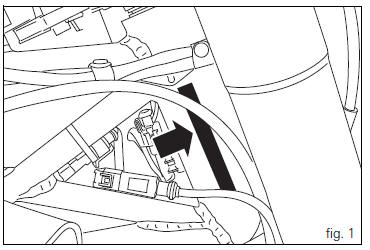
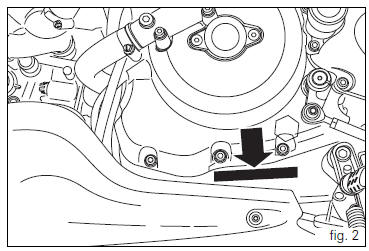
All ducati motorcycles have two identification numbers, for
frame (fig. 1) And engine (fig. 2). 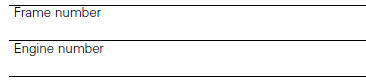
 Note
Note
These numbers indicate the motorcycle model and should be quoted when ordering spare parts.
 Carrying the maximum load allowed
Your motorcycle is designed for travelling over long
distances with a full load in complete safety.
Even weight distribution is critical to preserving these safety
features and avoiding trouble w ...
 Instrument panel (dashboard)
The vehicle is equipped with two instrument panels: an lcd
(1, fig. 3) Located on the handlebar containing the key
indications (speed, rpm, coolant temperature and clock) and
a tft colour display ( ...
Other materials:
Removing of the rear wheel
Place the motorcycle on the rear service stand and engage the 1st gear.
Remove the clip (6).
Using a suitable socket wrench, loosen the wheel nut (1).
Fully unscrew the nut (1), then remove the washer (2) and the spacer (3).
Remove the rear wheel from the motorcycle.
...
Active key
Introduction
The active key (1) communicates with the hands free system by radio. In order
to function, the key must be within a 1.5
Metre radius from the antenna (located in the document compartment under the
seat).
In the event of a flat key battery or of an internal transmitter circuit f ...
Refitting the intake manifold and coolant union
Apply prescribed threadlocker to the fitting (12), start it with seal (24)
and tighten it to a torque of 2.5 Nm (min. 2 Nm -
max. 3 Nm) (sect. 3 - 3, Frame torque settings).
Install the pipe (b) and tighten the clamp (a) to the torque of 1 nm +/- 10%
(sect. 3 - 3, Engine torque settings).
...