
Ducati Diavel Service Manual: Indicator trip time - trip time
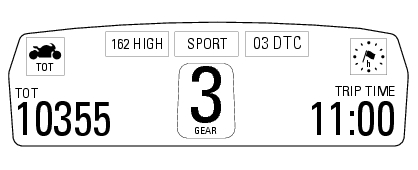
This function shows the vehicle trip time.
The calculation is made considering the time travelled since the last trip 1 reset. When trip 1 is reset, the value is set to zero.
The active phase calculation occurs when the engine is running and the vehicle is stopped (when the vehicle is not moving and the engine is off the time is automatically stopped and restarts when the counting active phase starts again).
When the reading exceeds 511:00 (511 hours and 00 minutes), the meter is reset and automatically starts counting from 0 again.
 Indicator speed avg - average speed
This function shows the average speed of the motorcycle.
The calculation is made considering the distance and time travelled since the
last trip 1 reset. When trip 1 is reset, the
value is set t ...
 Indicator air - air temperature
This function shows the external temperature.
Display limits: -39C - +124C
In the event of a sensor fault (-40C, +125C or disconnected), a string of
dashes "- - -" (not flashing) is displayed an ...
Other materials:
Carrying the maximum load allowed
Your motorcycle is designed for travelling over long
distances with a full load in complete safety.
Even weight distribution is critical to preserving these safety
features and avoiding trouble when performing sudden
manoeuvres or riding on bumpy roads.
Warning
Do not exceed the total permi ...
Transmission
Wet clutch controlled by the lever on left-hand side of the
handlebar.
Transmission from engine to gearbox primary shaft via spur
gears.
Front chain sprocket/clutch gearwheel ratio:
33/61
6-speed gearbox with constant mesh gears, gear change
pedal on left side of motorcycle.
Gearbox ou ...
Checking the idle speed
Check that the bike is provided with electronic control unit, oem intake and
exhaust systems, otherwise fit original
components.
Connect the inserts of the exhaust gas analyser code 88713.1010 To the outlets
on the exhaust pipes, using the fittings
(1).
Warning
Make sure that the thro ...