
Ducati Diavel Service Manual: Removal of the swingarm
Before removing the parts in question, you must first carry out the following operations:
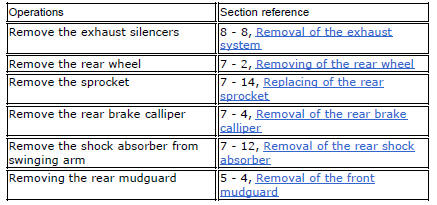
Remove the rear wheel eccentric hub as described in chapter "removal of the rear wheel eccentric hub and rear wheel shaft" of this section.
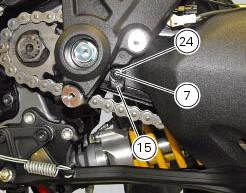
Loosen screws (7) and remove the hose grommets (13), (15) and (24).
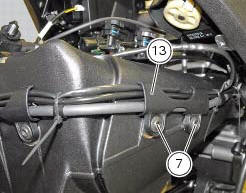
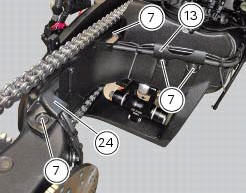
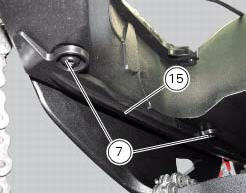
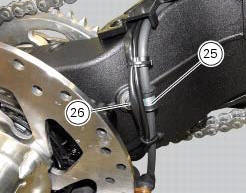
Release the rear brake hose, the rear speed sensor cable, and the rear wiring from the swingarm, by loosening the screws (26) and retrieving the cable grommets (25).
You can check the play in the swingarm bearings while the swingarm (8) still installed on the motorcycle frame.
Grasp the rear of the swingarm (8) and try to move it in the four directions shown by the arrows.
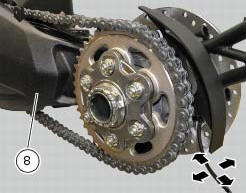
Any abnormal movement is a sign of worn bearings that could cause instability when riding.
To check the free play of the support bearings, refer to sect. 7 - 1, Wheel bearings.
Once the play in the swingarm bearings has been checked, the swingarm (8) may be removed from the motorcycle.
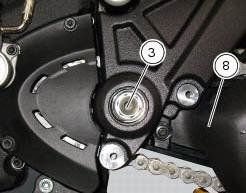
Keep the swingarm shaft (1) blocked with the screws (3) on the bike lh side and loosen at the same time the screw (3) on the opposite side: keep washer (2).
Using the punch 88713.1074, Fully extract the swingarm pivot.
Remove the swingarm (8) assembly from the frame.
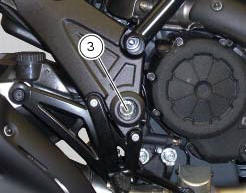
Inspecting the swingarm pivot
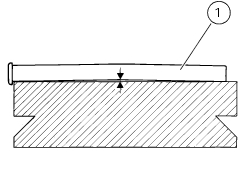
Before refitting the swingarm pivot shaft (1), check it carefully for distortion.
Roll the pin on a reference surface and measure maximum distortion using a feeler gauge (sect. 3 - 1.1, Rear wheel).
 Refitting the rear wheel eccentric hub and rear wheel shaft
Refitting is the reverse of removal, with attention to the following points.
If the calliper bracket locating pin (14) was removed, apply the recommended
threadlocker on reassembly.
Tighten th ...
 Overhauling the rear swingarm
Inside the swingarm (8), in correspondence with the pivot point on the frame,
there is a pair of ball bearings (10) and a
spacer (11) on the rh side, and a pair of roller bearings (6), with sealing ...
Other materials:
High engine coolant temperature
The activation of this (amber yellow) "warning" indicates
that the engine coolant temperature is high.
It is activated when the temperature reaches 121C (250f).
Note
In this case, ducati recommends stopping and shutting
off the engine immediately; make sure that the fans are
workin ...
Rear-view mirrors
Rear-view mirror
Screw
U-bolt
Spring washer
Spare parts catalogue
Diavel abs handlebar and controls
Diavel carbon
abs
handlebar and controls
Important
Bold reference numbers in this section identify parts not shown in the
figures alongside the text, but which can be found in
...
Refitting the oil pump
If removed, apply specific threadlocker on the bushing (7) outer thread, and
screw it in the crankcase half, observing the
height.
Position the reference bushings (15) and the oil sealing o-rings (2) and (4)
according to the crankcase lubrication
channels.
Position the oil pump on th ...